Hey there, fellow Raider! If you're playing Arc Raiders with friends, you've probably run into a common problem: you find a bunch of ammo, medical supplies, or crafting materials, but you want to share them with your team. Maybe you picked up too many heavy items and need to lighten your load. Whatever the reason, learning how to split items in Arc Raiders is a basic skill that makes team play much smoother. Let me walk you through everything you need to know.
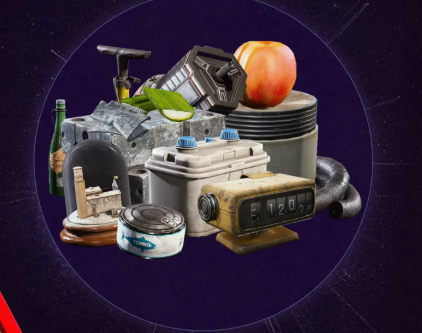
In this game, teamwork isn't just helpful—it's necessary for staying alive. When you're exploring the map and avoiding that giant machine spider thing (you know the one), sharing supplies can mean the difference between getting to the evacuation point or becoming scrap metal.
Arc Raiders is all about working together. You might be great at finding ammo, while your friend always discovers medical kits. Being able to split these items means everyone gets what they need. No one likes that teammate who hogs all the good stuff, right?
The game doesn't always make everything clear right away. The developers at Embark Studios have created a world that feels real and dangerous, but sometimes the simple things—like sharing loot—aren't explained very well. That's why I put this guide together. Once you master how to split items in Arc Raiders, your whole team will have a better chance of surviving until extraction.
Opening Your Inventory: The First Step to Splitting Items
Before you can split anything, you need to know where your stuff is. Press the Tab key on PC (or check your controller bindings for console) to open your inventory screen. This is where you'll see everything you're carrying—weapons, ammo, healing items, crafting parts, and other loot you've found during your raid.
Your inventory space is limited, so you can't carry everything. This is another reason splitting items is useful. If you have too much ammo and your friend has empty pockets, sharing helps both of you.
Take a good look at your inventory screen. Get used to how it's organized. Items are usually grouped by type—ammo stacks together, medical items in another section, and so on. This makes finding things easier when you're in a hurry.
Okay, here's the main part you came for. Follow these steps carefully, and you'll be sharing loot like a pro in no time.
First, open your inventory. Find the stack of items you want to split. It could be rifle ammo, shotgun shells, bandages, or anything else that comes in multiples.
Hover your mouse over the item stack. You'll see the item name and how many you have. For ammo, you might have 60 rounds. For medical supplies, maybe 5 bandages.
Right-click on the item stack. This is the key action. A small window will pop up with a slider bar. This slider lets you choose how many items you want to take from the stack.
Drag the slider to select the amount you want to split off. If you have 60 ammo and want to give 30 to your friend, move the slider to 30. You can also type the exact number if you want to be precise.
Click "Split" or "Confirm" (the button text might vary depending on your game version). The stack will now be divided into two separate stacks in your inventory.
Now you can drop one stack for your friend to pick up, or if you're near them, they can just take it directly from the ground after you drop it.
That's really all there is to it! Once you've done it a few times, it becomes automatic. Knowing exactly how to split items in Arc Raiders will save you time and help your team stay prepared for anything.
Different Item Types and How Splitting Works for Each
Not all items split the same way in Arc Raiders. Some things make sense to split, while others don't. Let's look at what you'll run into during your raids.
Ammunition is the most common item you'll split. Different weapons use different ammo types—light rounds for pistols and some rifles, heavy rounds for bigger guns, shotgun shells, and special ammo for unique weapons. When you find ammo, it's usually in a stack. Splitting it lets you share with teammates who use the same gun type.
Medical items like bandages, stim shots, and medkits are also good for splitting. If you have 5 bandages and your teammate is hurt with none, sharing a couple helps the whole team survive longer. Just remember to keep enough for yourself!
Crafting materials can be split too. These are used to make items during a raid or between matches. If you find rare materials, splitting them fairly among team members makes sense since everyone can use them later.
Some items cannot be split. Weapons, armor pieces, and special equipment usually come as single items. You can't split a gun—you either have it or you don't. These items you'll have to trade by dropping and swapping.
Splitting Items While Under Pressure: Tips for Staying Safe
In Arc Raiders, you won't always have time to carefully split items. Sometimes you're hiding from the ARC (that big machine that wants to turn you into paste), or you're in a firefight with other players. In these situations, quick item sharing can save lives.
If you're in a hurry, the split function might take too long. Here's a faster method when time is tight: just drop the whole stack and let your teammate pick it up, then they can drop back what they don't need. This takes two drops instead of one split, but it's faster if you're both in the same spot and need to move quickly.
Another tip for emergency situations: communicate with your team. A quick voice call of "I'm dropping ammo here, grab what you need" lets everyone know what's happening. Then you can drop the stack and keep moving while your teammates sort it out.
Remember, staying alive in Arc Raiders means staying mobile. Don't stand around in open areas while you're fiddling with inventory menus. Find cover first, then split items.
Inventory Management Tips for Better Item Splitting
Good inventory management makes splitting items easier and more useful. Here are some tips I've learned from many hours of playing.
Keep your inventory organized from the start. Put similar items together so you can see at a glance what you have. When you find new loot, think about whether you really need it or if it's better for a teammate.
Pay attention to item weight. Everything you carry has weight, and if you're too heavy, you move slower. That's bad when you need to run from danger. Splitting heavy items with teammates spreads the weight around and keeps everyone faster.
Before you split items, check what your teammates already have. No point giving ammo to someone who's already carrying plenty. Quick communication helps here—ask what people need.
When you're getting ready to extract (leave the raid), consider splitting valuable items if your team is working together well. If everyone shares the loot, everyone benefits. But be careful—once you drop an item, anyone can pick it up, including other players who aren't on your team.
Common Splitting Mistakes to Avoid
Even experienced players make mistakes when splitting items. Here are some common ones to watch out for.
Dropping items in dangerous places. I've seen players split and drop items right in the open, then get attacked while their inventory is open. Always find a safe spot first—behind cover, in a building, somewhere you won't get surprised.
Splitting too much and leaving yourself short. It's nice to share, but don't give away so much that you can't defend yourself. Keep enough ammo for at least one or two fights. Keep at least one medical item for emergencies.
Forgetting to pick up items after splitting. Sometimes you split a stack, get distracted by enemies, and run off leaving half your items on the ground. Always double-check that you picked up what you meant to keep.
Not communicating with teammates. If you drop items and don't tell anyone, they might not notice. Call out what you're dropping and where, so your team knows to grab it.
When Splitting Items Really Saves the Day
There are moments in Arc Raiders when knowing how to split items in Arc Raiders becomes truly important. Let me paint you a picture.
Your team has been exploring for 20 minutes. You've found good loot, avoided the ARC, and taken down a few enemy players. Now you're heading to extraction. But your sniper player is almost out of ammo, and your medic used all their bandages keeping everyone alive during the last fight.
You check your inventory—you have plenty of sniper ammo and extra medical supplies. A quick split and drop, and suddenly your sniper can cover the extraction point while your medic patches up. Everyone gets out alive with good loot.
That's the power of sharing. In a game as tough as Arc Raiders, every advantage helps. The team that shares supplies and works together has a much better chance of surviving.
Practice Makes Perfect: Get Comfortable with Splitting
Like anything in gaming, splitting items becomes easier with practice. Try it when you're safe, maybe at the start of a match or in a quiet moment. Get used to the mouse clicks and the slider. Soon it will feel natural.
Play with the same team regularly if you can. When you know each other's play styles and usual needs, you can share more effectively. Your regular sniper always needs ammo? Keep an eye out and split some when you find it.
Remember that Arc Raiders is still being updated. The developers sometimes change how things work. If the splitting method changes, keep an eye on patch notes and community guides to stay up to date.
Final Thoughts on Item Splitting in Arc Raiders
Learning to split items might seem like a small thing, but in Arc Raiders, small things add up. Good inventory management, fair sharing with teammates, and quick thinking under pressure—these are the skills that separate successful Raiders from those who don't make it to extraction.
The game throws a lot at you. Dangerous machines, other players, limited resources. But by working together and sharing what you find, you give yourself and your team the best chance. Every bullet, every bandage, every piece of crafting material counts.
So next time you're in a raid and find a big stack of something useful, remember this guide. Open your inventory, right-click, use that slider, and share with your team. They'll appreciate it, and you'll all have a better chance of getting out alive with your loot.
Now get out there, Raider. The ARC is waiting, and your team needs you. Stay sharp, share your loot, and good luck!


 English
 Deutsch
 Français
 Español
 Italiano
 العربية