












English


Guide
Fallout 76 Free Wasteland Wanderer Bundle (Limited Time)




During Fallout Day 2026, Fallout 76 added the Wasteland Wanderer bundle to the Atomic Shop at 100% off, free for every player. Fallout Day falls on October 23, 2026, and the promotion launched on October 19, running through November 1. Claiming the full set costs no Atoms and requires no Fallout 1st subscription. Players who have not claimed it yet can log in before the event ends and check the Atomic Shop.
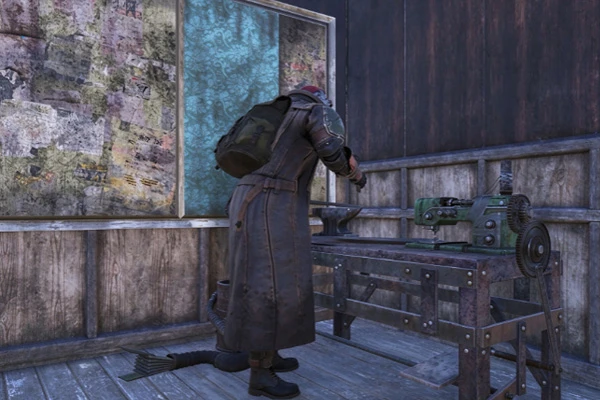
What's in the Bundle
The Wasteland Wanderer bundle contains four cosmetic items: the Wasteland Wanderer Outfit, the Wasteland Wanderer Headwear with Cap, the Wasteland Wanderer Headwear, and the Wasteland Wanderer Backpack. The four items are described below:
Wasteland Wanderer Outfit: a wasteland-wanderer-themed costume that changes your character's outfit.
Wasteland Wanderer Headwear with Cap: a capped headwear piece that offers another styling option.
Wasteland Wanderer Headwear: a headwear piece without the cap, to match your character's look.
Wasteland Wanderer Backpack: a matching backpack skin that replaces your current backpack.
The four items share a unified wasteland style. Players can pair them with existing outfits and headwear to build a wanderer-themed look.
How to Claim and Use It
Log in to Fallout 76 during the event, open the Atomic Shop, find the Wasteland Wanderer bundle, and claim it. The process costs no Atoms and requires no Fallout 1st membership. Once claimed, the items join your collection and can be switched through the corresponding appearance menus in-game. The bundle is mostly cosmetic: the outfit and headwear do not directly change your armor stats, and the backpack skin does not add extra carry weight. You can change your look while keeping your current gear setup, whether for daily exploration, quest activities, or character styling.
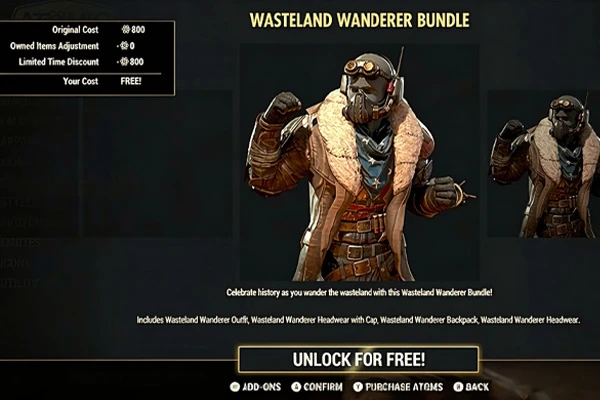
Limited-Time Claim and Shop Content
The free claim for the Wasteland Wanderer bundle ends November 1, 2026. Whether the item stays listed, returns to full price, or reopens for claiming after the event depends on later in-game Atomic Shop announcements. Players who want this look should claim it within the window to avoid missing out. The same rotation also brings several limited-time items, including the Seeds & Soil Bundle, the Fallout 1st-exclusive Well Rusted Bundle, the Upstaged Bundle, and greenhouse and planting pieces such as the Large Greenhouse Dome and Crop Mister. Each has its own listing window, so prices, membership limits, and remaining time should be checked on the shop page.
Common Questions
Do I need Fallout 1st to claim the Wasteland Wanderer bundle?
No. The bundle is open to all players, and you can claim it for free from the Atomic Shop within the event window, with no Fallout 1st subscription required.
How do I equip this look after claiming?
After claiming, open the corresponding outfit or backpack appearance menu in-game and select the unlocked item to switch. The exact location depends on the in-game categories.
Can I still claim it after the event ends?
The free claim window ends November 1, 2026. Whether claiming reopens or pricing changes after the event is not yet confirmed, so it is best to claim it during the event.
The Wasteland Wanderer bundle is a free cosmetic reward from Fallout 76's Fallout Day 2026 event, containing a themed outfit, two headwear pieces, and a matching backpack. Players can claim it from the Atomic Shop without completing extra quests or spending Atoms. For those looking to expand their appearance collection, this event is a chance to pick up a complete wasteland-themed set. Log in within the claim window and confirm the item's status, with the in-game display as the authoritative source.


