












English


Guide
Steps for Upgrading to Epheria Carracks in Black Desert




If you're referring to the "Ephelia Battleship" as the higher-tier ship route in Black Desert, the most important thing isn't rushing to collect materials, but rather following the upgrade process correctly. The official adventurer's guide clearly states: Ship upgrades must first be registered at the dock by the dock manager NPC, then all upgrade materials must be placed in the Upgrade menu. Upgrading is not possible if any equipment on the ship is not at full durability, if the ship is carrying equipment or items, or if there are sailors on board. The official dock instructions also add that upgrade options are displayed in the dock window, where you can view the entire ship upgrade tree.
What is the core process for upgrading a ship?
Upgrading the Ephelia Battleship, on the surface, is about "submitting materials," but it's actually about "clearing, registering, and upgrading." You must first sail your ship to a dock with a dock manager, talk to the NPC, and register the ship; then open the upgrade interface, place all the required materials according to the system requirements, and finally confirm the upgrade. The official instructions are straightforward: first, register the ship you want to upgrade at the dock, then use the upgrade menu and add all the materials. The real bottleneck isn't insufficient materials, but rather improperly handled prerequisites. If even one ship isn't at full durability, carries cargo, or has crew members on board, the upgrade process will fail.
Ship Upgrade Steps
Step 1: Sail the ship to the dock manager. Registration and upgrades can only be performed at locations with dock functionality. The official instructions state that the upgrade entry is within the dock window.
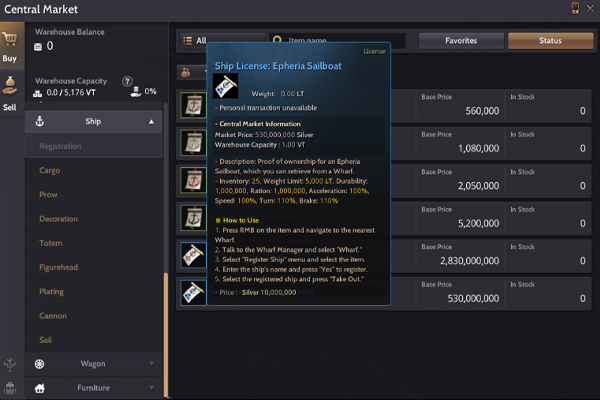
Step 2: Register the ship to be upgraded. The official instructions specify that you must first register the ship you want to upgrade at the dock through the Wharf Manager NPC before accessing the upgrade menu.
Step 3: Clear any problematic statuses on the ship. Upgrades cannot be performed if the ship is carrying equipment, cargo, or has crew members on board; therefore, these must be cleared first.
Step 4: Confirm full durability. The official instructions specifically remind you that upgrades cannot be performed if any piece of equipment is not at full durability, so repair it to its maximum value first.
Step 5: Open the Upgrade menu and add all materials. The system will display the required materials in the upgrade window. Prepare all materials at once before confirming the upgrade.
Step 6: Pay attention to the source of materials. The official ship upgrade page explains that many upgrade materials can be obtained through sea monsters, trading, gathering, processing, the central market, or daily/weekly quests.
This process may seem long, but it essentially boils down to three things: register, clean up, and submit materials. As long as the order is correct, the upgrade won't be too messy.
When can you upgrade, and when can't you upgrade?
If you divide the upgrade process into "upgradeable" and "incompatible" categories, the difference is very clear. Upgrades are possible when the ship is already registered at the dock, the hull is clean, durability is full, and there is no equipment, items, or crew on board. Then you add the required materials in the upgrade window. The official page describes this process very clearly. Upgrades are also clearly stated when: if even one piece of equipment is not at full durability, or if there is equipment, inventory, or crew on board, the system will block you. The key point of this restriction isn't just to inconvenience players, but to prevent the ship's and crew's status from being carried over to the new ship stage during upgrades. From an efficiency standpoint, the most time-saving method isn't to prepare while simultaneously trying to upgrade, but rather to complete all prerequisites first. For example, transfer all cargo first, then send the sailors off the ship, and finally repair equipment durability before registering at the dock. While this takes a little more time initially, it avoids repeatedly going back and forth on the upgrade screen.
Frequently Asked Questions
Q: Why can't I upgrade even though I have enough materials?
A: Because the official restrictions include not only materials, but also durability, shipboard items, and the number of sailors on board. If any one of these is insufficient, the upgrade cannot be performed.
Q: Must the ship be registered at the dock first?
A: Yes. The official instructions state that you must first register the ship to be upgraded at the dock through the dock manager NPC before entering the upgrade menu.
Q: Can I add materials gradually?
A: The upgrade instructions state "Add all materials required for the upgrade," meaning it's best to prepare everything at once before final confirmation.
Q: Where do I most commonly get materials from? A: The official documentation states that materials can come from sea monsters, trading, gathering, processing, the central market, and daily/weekly quests.
Q: How do I know what level I can upgrade to now?
A: You can view the entire ship upgrade tree in the dock window; this feature is mentioned in the official stable dock instructions.
Complete Operation from Preparation to Upgrade
Let's say you have an Ephelia ship that has reached the upgradeable stage and want to further upgrade it. The correct approach isn't to rush into the upgrade menu, but to check the following steps in order: First, sail the ship to the dock manager and confirm that your dock supports registration and upgrades. Second, register the ship at the dock, as official requirements state that registration is mandatory before upgrading. Third, check the ship's status and see if any equipment is below full durability; if so, repair it to its maximum value. Fourth, clear all items from the hold, especially trade goods, miscellaneous items, and unnecessary equipment. Fifth, confirm that there are no sailors on board; if there are, remove them. Step 6: Return to the dock window, click "Upgrade," and put in all the required materials before confirming the upgrade.
If you haven't prepared all the materials, check the upgrade tree first and then collect them according to their source. For example, some materials can be obtained through sea monsters, trading, gathering, processing, the central market, or daily/weekly quests. The official instructions for upgrading Caravel and Galas clearly mention these sources, so you can collect them while preparing. This prevents you from discovering you're missing a crucial item at the last step. The most important part of this example isn't "how to quickly click upgrade," but "how to make the upgrade button actually usable." Many people get stuck on upgrade failures not because they don't understand the materials, but because they forget to clear inventory, repair durability, and register first. Doing these three things will make the upgrade process much smoother.
The official rules clearly state the requirements for upgrading to the Ephelia battleship, so you don't need to guess or try randomly. Just remember three hard conditions: full durability, no equipment or items on board, and no sailors on board. If any one of these steps isn't handled correctly, the upgrade will fail. The upgrade process itself is also quite fixed: first, register the ship with the dock manager, then open the upgrade menu and gather all the necessary materials. This process illustrates a crucial habit: don't confuse "preparing materials" with "submitting the upgrade." The former is the preparation stage, the latter the execution stage, with a ship status check in between. Many players skip this step in their haste, only to discover the problem at the upgrade window, wasting an extra trip. If this is your first time doing a sea upgrade, it's recommended to memorize this order: register the ship first, then empty the ship, then fully repair its durability, and finally submit the materials. While this involves many steps, each step is clear and less prone to errors. Especially in a system like Black Desert where materials are plentiful and routes are long, the real way to save time isn't "speeding up," but "following the rules." When you complete all the pre-upgrade checks, subsequent ship upgrades will be much smoother, and you're less likely to be stalled by a small oversight.


