











العربية


Gameplay
How to Sell Gear for Diamonds in Legend of Ymir?



The Exchange is where you buy and sell tradeable items for Diamonds in Legend of Ymir. Selling gear for Diamonds starts with checking whether the item can be listed at all. Look for the scale icon and check whether it is marked Bound; if it can be sold, enter the quantity and price, then pay the registration fee to place it in Pending Sale. After about 30 minutes it moves to On Sale, and from there you wait for a buyer. Once it sells, you have to settle manually, and a fee is taken before the Diamonds reach you; forget to settle and your earnings just sit there. The pending period, the sale period, and the fee each follow their own rules, and mixing them up means either a wasted listing or a miscalculated payout. Here is the full flow, broken down from confirming the item is tradeable to collecting your Diamonds.

Confirm the Gear Can Be Sold
Not every piece of gear can be listed. Whether it can be sold comes down to its icon and bound status, and getting this wrong makes everything after it pointless.
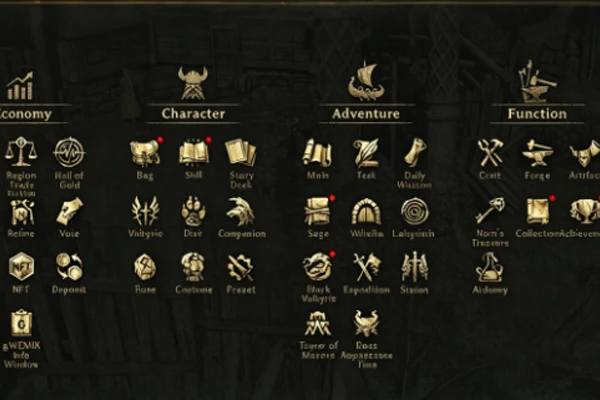
- Only items with the Exchange icon can be listed; that icon is a scale, and only items without the Bound tag qualify.
- Tradeable gear comes mainly from field drops, unique monsters, and Great Success crafting; any item marked Bound cannot be listed at all.
- The World Exchange only accepts a small set of items, such as Mjolnir enhancements, Ymir Refining Stones, Ymir Coins, and Pre-registration Coins; regular gear goes through the normal Exchange.
The scale icon and the Bound tag are two hard gates. The sources are fixed, so sort out what can be sold and which channel it goes through before you worry about pricing.
What to Enter and What It Costs to List
Listing is not a one-click job; quantity, price, and registration fee all have to be entered and calculated correctly.
- Enter the sale quantity and per-unit price when listing, and the registration fee is charged automatically at 100 Silver per 1 Diamond.
- The registration fee is not refunded if you cancel a listing, so settle the price before confirming; changing it back and forth only wastes the fee.
- After listing, the item first enters a Pending Sale state for about 30 minutes, during which it cannot be searched; only after it goes On Sale does it appear in search results.
Quantity, price, and registration fee are the three steps of listing, and the non-refundable fee is the biggest trap; factor it into your pricing before you confirm.
How to Get the Diamonds After It Sells
An item sitting on the market does not mean Diamonds land automatically; the sale period, settlement, and fee all have to be cleared.
- After the pending period the item enters On Sale for 48 hours; if it does not sell, it expires and returns to your bag.
- Once an item sells you have to settle manually, and the fee is 5% of the sale price, with Diamonds rounded down to the whole number.
- Earnings sit on the account until you press settle; selling is not the same as collecting, settlement is what makes them yours.
A 48-hour sale period, a manual settlement, and a 5% fee — do all three and the Diamonds are actually yours.
The Full Rhythm of Selling Gear for Diamonds
Turning gear into Diamonds is one straight line: confirm it can be sold, price and list it, then settle once it sells. The judgment before listing matters most; only items with a scale icon and no Bound tag are worth the trouble, and when pricing, count both the 5% fee and the registration fee so you do not discover at the end that you barely made anything. Once listed you do not need to sit and wait; it is normal for the item to be unsearchable for about 30 minutes in Pending Sale, and once it is On Sale there are 48 hours, during which you can keep playing normally. After it sells, remember to settle; the Diamonds are not yours until then. There is no shortcut in this flow; get each rule straight and your gear turns into Diamonds steadily.
Selling gear for Diamonds in the Legend of Ymir Exchange is a fixed flow, and every step has a clear rule. The precondition for selling is a scale icon and no Bound tag; listing requires a quantity and price plus the registration fee; after about 30 minutes in Pending Sale it moves to On Sale, unsold items return after 48 hours, and once sold you settle manually before the 5% fee is taken. The two most commonly missed points are the non-refundable registration fee and forgetting to settle — one wastes Silver, the other holds up your earnings. Get the confirm, price, and settle steps right and your gear cashes out reliably. Keep an eye out for drops with the scale icon, stockpile them, and list them in one batch, which costs less in registration fees than listing piece by piece.


