










English


How to Show All Skills in MIR4?Complete Guide
In MIR4, the skill system is a core component of character progression and combat experience. Many new players, upon entering the game, often only see a few skills, leading to the misconception that their character has few skills or that they don't know how to view all skills. In reality, skills in the game are unlocked in stages and need to be viewed and managed through a specific interface. "Showing all skills" doesn't mean all skills are available from the start, but rather viewing the complete list of skills for the current class through the skill interface, including learned, locked, and upgradable skills. The game design uses a gradual unlocking approach, allowing players to gradually master more skills as they level up, avoiding information overload and enhancing the sense of progression. Furthermore, skill display involves more than just "viewing"; it also includes skill configuration, hotbar settings, and automatic release rules. Even if you have many skills, they won't be displayed in combat if not properly configured.
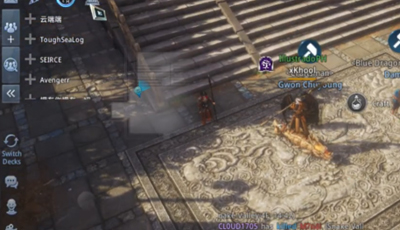
How to View All Skills?
· Open the Skill Interface
Click the "Skills" button on the main game interface to enter the skill management page, the core entry point for viewing skills.
· Switch Skill Categories
Skills are typically categorized into active skills, passive skills, and class-specific skills. Switching tags allows you to view different types.
· View Unlocked Skills
In the skill list, you'll see skills that are grayed out or locked; these are the skills you can learn in the future.
· Unlock Skills by Leveling Up
As your character levels up, some skills will automatically unlock, or you can acquire the learning qualification through quests.
· Skill Book Learning Mechanism
Some skills require skill books to unlock, which can be obtained by defeating monsters, completing quests, or trading.
· Configure the Skill Hotbar
Drag learned skills to your skill bar to "display" and use them in combat.
How to Understand the Complete Skill System?
Compared to some traditional MMORPGs, 《MIR4》's skill display method is clearer and more layered. Traditional games often display all skills at once in the skill interface, even those that the player cannot use immediately. While this method is intuitive, it can easily confuse newcomers. MIR4 employs a "gradual unlocking + categorized display" approach, allowing players to access only the skills they need at different stages, thus reducing the learning curve. Simultaneously, the skill book mechanism enhances the enjoyment of collection and progression, rather than solely relying on levels. However, this design also presents a problem: some players mistakenly believe the number of skills is limited or don't know how to view all skills. Therefore, compared to the traditional model, MIR4 requires players to actively interact with the skill interface to truly understand the complete skill system.
Frequently Asked Questions
Q: Why can I only see a few skills?
A: Because skills are unlocked gradually; more skills will become available as you level up.
Q: Can I view all skills at once?
A: Yes, you can switch categories in the skill interface to see unlocked and locked skills.
Q: Why can't I use the skills I've learned?
A: You need to drag the skills to the quick access bar; otherwise, they won't be automatically used in combat.
Q: Do I have to buy skill books?
A: Not necessarily. They can be obtained through quests or defeating monsters, but the acquisition speed is slow.
Example of Operation Process
Let's assume you've just created a character and entered the game. At this point, you only have 1-2 basic skills. Opening the skill interface, you'll see many grayed-out skills in the current skill list; these are the unlocked skills. As you complete main quests and level up, for example, reaching level 20, new skills will automatically unlock. When you open the skill interface again, you'll find the new skills are now highlighted and you can click to learn them. If you obtain a skill book, such as a high-level attack skill, you can use it in your inventory and then return to the skill interface to learn it. After learning, you need to drag the skill to the skill bar so your character will use it during auto-battle. By repeating this process, you'll eventually see the complete skill system in the skill interface and be able to combine and display it according to your needs.
In 《MIR4》, truly "displaying all skills" isn't about unlocking them all at once, but about understanding the structure of the skill system and learning how to correctly view and configure them. The skill interface is the core entry point, while level, skill books, and the shortcut bar are three important components. By developing the habit of regularly checking the skill interface and promptly learning and configuring new skills, you can gradually master the complete skill system.